Denoise Old Photos
Use denoise when film grain, scanner noise, or low-light speckling gets in the way of a readable photo. It is a cleanup step, not a replacement for the original scan.
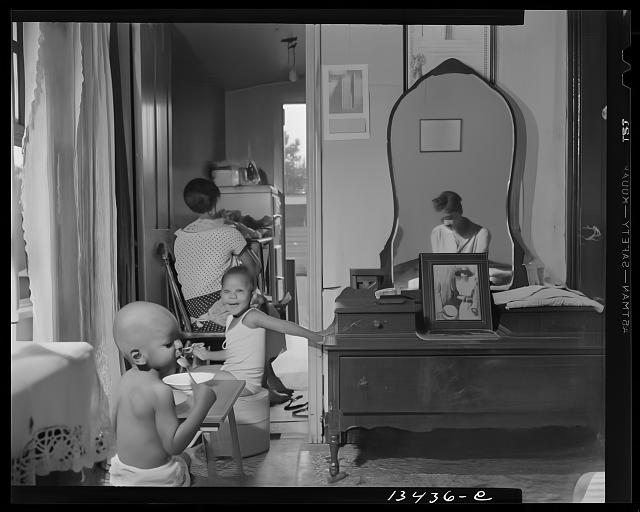 After
After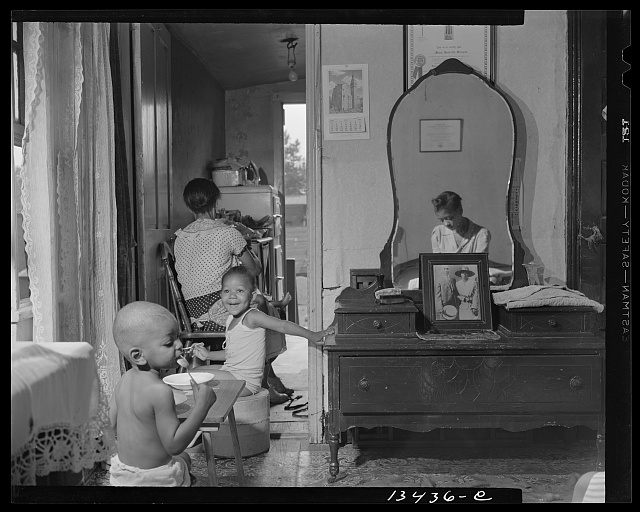 Before
Drag to compare the noisy scan with the denoised version
Check, clean, continue
Check the source
Photo Insight detects noise and recommends denoising only when cleanup will make the repair path easier to trust.
Clean without flattening
The denoise pass reduces grain and scanner artifacts while preserving useful edges, faces, and texture.
Save or keep repairing
Review the cleaned version, then restore, color, enhance, or stop with the original and keeper still tied together.
When denoising helps most
High-ISO Film Grain
Photos shot on fast film (ISO 400+) or in low light show visible grain. Denoising smooths the grain while keeping faces and edges sharp.
Scanner Noise
Flatbed and film scanners add sensor noise, especially at high DPI. Denoising cleans up these artifacts without reducing the effective resolution of your scan.
JPEG Compression
Heavily compressed digital photos and re-saved scans accumulate blocky artifacts. Denoising reduces compression noise and recovers smoother tonal transitions.
Before Restoration
Running denoise before restore gives the restoration model a cleaner input, which often produces better results on heavily degraded photos.
This step belongs to the family archive
After the tool runs, the Original, Keeper, Photo Insight, captions, people, notes, and private shares stay together in Archive. The result is not a loose download; it becomes one more finished record in the archive.
Clean up your noisy scans
Upload a grainy scan, check whether denoise is the right next step, and keep the cleaned version with the original.